Migrating from Blogdown to Astro (with a little help from AI)
It’s been a while since I’ve written anything here. Over five years, in fact.
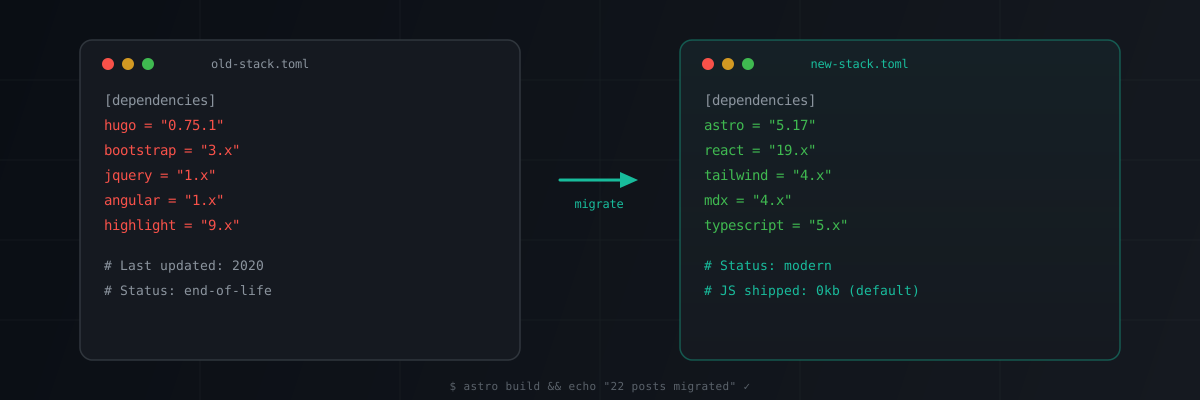
The blog has been sitting quietly on the internet since 2021, still running on Hugo v0.75.1 with a Bootstrap 3 theme I never properly customised. Between three kids, a demanding job at a startup, and the friction of the old setup, writing new posts never made it to the top of the list.
So I finally did something about it.
Why the move?
The tech stack had aged out. When I migrated to Blogdown back in 2018, the setup felt modern: R Markdown documents rendered through Hugo, deployed to Netlify. A nice workflow for someone doing analysis in R.
But a lot has changed since then:
- I mostly work in Python now, not R. Blogdown’s selling point was tight R Markdown integration, and I just don’t need that anymore.
- The theme was built on Bootstrap 3, which reached end-of-life years ago. It also pulled in Angular.js and jQuery, neither of which I used for anything.
- Hugo’s template language is powerful but arcane. Every layout change meant more time in the Hugo docs than actually building.
- The interactive elements (Leaflet maps, htmlwidgets) were pre-rendered R outputs embedded as iframes. They worked, but it was a hack rather than a proper component architecture.
I wanted something where I could write Markdown, drop in React components for interactivity, and style with a modern CSS framework. A blog that matches the tools I use day-to-day.
What I considered
Quarto
My first instinct. Quarto is the natural successor to R Markdown with excellent Python support via Jupyter kernels. But Quarto sites are fundamentally document-rendering tools and the component model is limited. Embedding a custom React chart or interactive widget means fighting the framework. For a pure data science notebook blog, Quarto would be excellent. I wanted more flexibility.
Next.js
The obvious choice for all-in React. I use it at work and Next.js has a brilliant developer experience. But for a content-heavy blog it’s overkill. Server-side rendering, API routes, edge functions. I don’t need any of that. I just need HTML pages that load fast. Next also ships a lot of JavaScript by default, which felt wrong for a site that’s 95% static content.
Astro
Astro sits in the sweet spot. Static site generator at its core, where blog posts are MDX files that compile to plain HTML with zero JavaScript by default. But when you need interactivity, you drop in a React component with client:visible and Astro hydrates just that island.
It also feels very “webby”. File-based routing, straightforward component model, static file output. No server required, no edge functions, no vendor lock-in. Deploys anywhere.
The migration
I had 22 blog posts to migrate, each in R Markdown with TOML frontmatter, R code chunks, and various interactive elements. Doing this by hand would have taken days, so I used Claude Code to plan and execute the migration.
It wasn’t a fully automated process, very much a collaboration. But having an AI that could read my old posts, understand the content structure, and generate MDX equivalents saved an enormous amount of time.
1. Planning the architecture
I described what I wanted and Claude helped think through the decisions: content collection schemas, routing, how to handle R widgets, which integrations to use. We landed on:
- Astro 5 with React islands for interactive components
- Tailwind CSS v4 with a custom dark theme
- Expressive Code for syntax highlighting
- Pagefind for client-side search
- MDX for blog content with inline JSX components
2. Converting the posts
Each R Markdown file needed several transformations:
- TOML frontmatter → YAML (Astro uses YAML)
- R code chunks → fenced code blocks (display-only, no R execution)
knitr::include_graphics()→ standard Markdown images- R-generated figures stayed as static images in
/public/post/ - Interactive widgets (Leaflet maps, wordclouds, datatables) became iframe components pointing to pre-rendered HTML
- Twitter embeds became static blockquotes (no dependency on Twitter’s JavaScript)
- SpeakerDeck embeds became responsive iframes
The migration agents processed all 22 posts in parallel. 11 simpler posts in one batch, 11 with interactive elements in another. About 20 minutes total.
3. Preserving URLs
All the old posts lived at /{slug}/, and there are backlinks scattered around the internet. The new site uses /blog/{slug}/ for cleaner structure, with Netlify redirects ensuring all old URLs still work via 301 permanent redirects.
The result
Here’s a completely unnecessary but fun interactive comparison of the old and new stacks. Because what’s the point of having React islands if you don’t use them?
Interactive chart built with React + Recharts, rendered as an Astro island
The new site is noticeably faster. The old Hugo site loaded Bootstrap 3, jQuery, Angular.js, and a bundle of unused dependencies on every page. The new site ships zero JavaScript on static pages and only hydrates React components where they’re actually needed.
The dark terminal-inspired theme is a departure from the old Bootstrap look, but it better reflects what I actually do. This is a technical blog for someone who lives in a terminal and an IDE.
More importantly, the friction is gone. Writing a new post is just creating an MDX file. If I want to embed something interactive, whether that’s a Plotly chart, a Leaflet map, or a custom React component, I just import it. No R Markdown compilation, no Hugo template debugging, no jQuery.
What I learned
AI-assisted migration works. Claude handled the R Markdown to MDX conversion well. It understood knitr chunk structure, handled frontmatter conversion, and made sensible decisions about interactive elements. I still reviewed everything and made corrections, but it turned a multi-day task into an afternoon.
Don’t wait for perfection. I put this off for years because I wanted to get everything right. There are still placeholder projects on the site, still TODOs in a couple of older posts where widgets didn’t convert perfectly. That’s fine. The site is live and I can iterate.
The best stack is the one you’ll actually use. Hugo is a perfectly good static site generator. Quarto is excellent for computational documents. But if the tech stack creates friction that stops you writing, it doesn’t matter how good it is on paper. I chose Astro because it matches how I build things right now, which means I’m more likely to actually publish.
Now I just need to keep writing. No more excuses.